



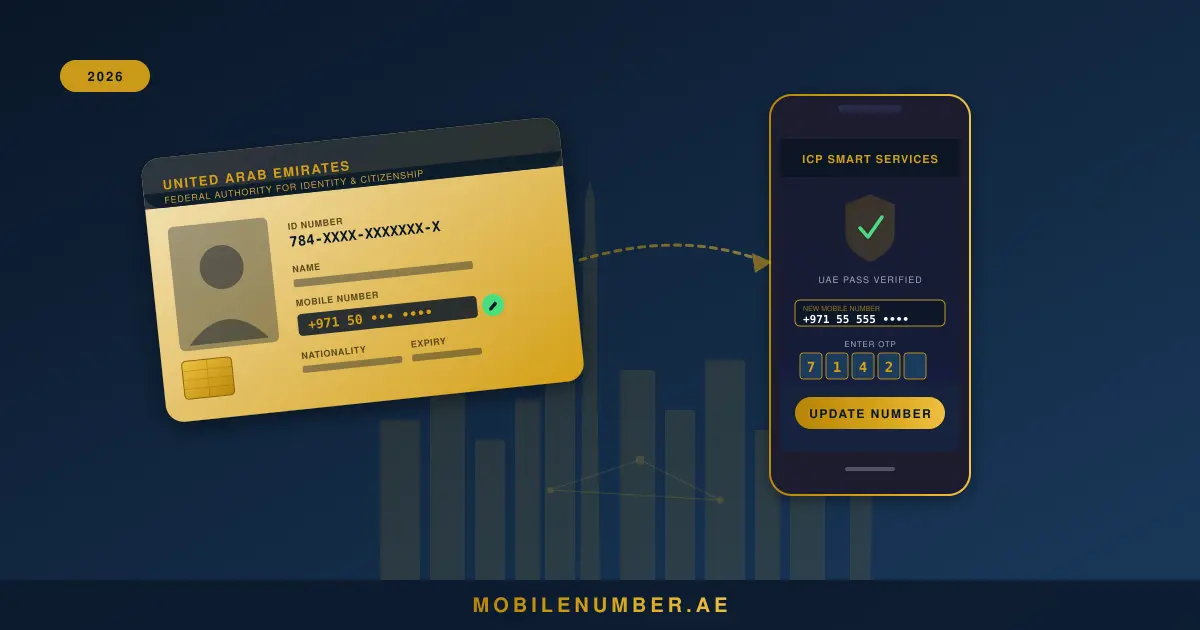
Every day, thousands of UAE residents discover the same frustrating problem: they're locked out of a government service because their Emirates ID is linked to a phone number they no longer use. Maybe it's a SIM that expired, a number from a previous job, or a line that got disconnected during a home country visit. In 2026, this problem has become more urgent than ever — because your registered mobile number is now your primary key to virtually every digital service in the country.
UAE government data shows the ICP processes millions of profile updates annually, and mobile number corrections rank among the most common requests. Whether you're trying to access visa services, renew your Emirates ID, or simply receive an OTP from your bank, the mobile number linked to your Emirates ID is the linchpin of your UAE digital identity. Getting it wrong — or letting it go stale — has real consequences.
This guide walks you through every method available in 2026: the online route via ICP Smart Services and UAE Pass, the ICP mobile app, and the offline options at typing centres and Customer Happiness Centres. We'll also cover what to do when the standard process fails, and why — if you're already going through the trouble of updating your number — this is the perfect opportunity to upgrade to a premium number that actually works in your favour. For background on the legal framework for VIP numbers in the UAE, we cover that separately.
Table of Contents
- Why Your Emirates ID Mobile Number Matters More Than Ever in 2026
- How to Change Your Emirates ID Mobile Number Online via ICP Smart Services
- Updating Your Mobile Number Through the ICP Mobile App
- How to Update Emirates ID Mobile Number Offline
- Fees and Processing Time Comparison
- What to Do If You No Longer Have Access to Your Old Number
- Common Problems and Solutions When Updating Emirates ID Numbers
- How Updating Your Emirates ID Number Affects Other Government Services
- Why 2026 Is the Perfect Time to Upgrade to a VIP Mobile Number
- How to Choose the Right Premium Number for Your Emirates ID
- Legal Considerations: TDRA Rules and Number Ownership in the UAE
- Transferring Your New VIP Number to Your Name
- Frequently Asked Questions
- Conclusion
Why Your Emirates ID Mobile Number Matters More Than Ever in 2026
Your Emirates ID isn't just a physical card anymore. It's the root identity credential that unlocks UAE Pass, GDRFA services, MOHRE (labour) portals, health insurance claims, banking KYC, and dozens of other digital touchpoints. Every one of those services communicates with you through one channel: the mobile number you registered with the ICP.
Here's why 2026 specifically raises the stakes. In March 2026, the Central Bank of the UAE issued Notice 3057, requiring licensed financial institutions to migrate away from SMS OTP as their primary authentication factor by the end of Q3. Banks including Emirates NBD, ADCB, and Mashreq are rolling out app-based and biometric authentication — but all of these app activations still require an OTP sent to your registered number during the initial setup. If your Emirates ID number is outdated, you can't complete the activation. The SMS OTP security importance cannot be overstated in this transition period.
Beyond banking, consider what else relies on this number:
- UAE Pass — biometric national identity app — sends verification codes to your registered number
- GDRFA Dubai and AMER services for visa applications and renewals
- DHA (Dubai Health Authority) and SEHA appointment confirmations
- DEWA, Etisalat, and du account alerts and bill notifications
- MOHRE for labour contract queries and inspection notifications
- Courts — Abu Dhabi Judicial Department and Dubai Courts send case notifications to your ICP number
The UAE has over 16 million active mobile connections across 050, 052, 054, 055, 056, and 058 prefixes — but having a number isn't enough. It needs to be the right number, reliably linked to your identity. Residents who maintain accurate records can verify number ownership instantly when needed, which matters increasingly in a country moving toward a fully digital government infrastructure.
How to Change Your Emirates ID Mobile Number Online via ICP Smart Services
The online route is by far the quickest, and it's available 24/7 from anywhere in the world. The ICP Smart Services portal handles the update in real time once verification is complete. There are two sub-methods depending on whether you have UAE Pass set up.
Method 1: With UAE Pass (Recommended)
UAE Pass is the UAE's national digital identity app, and it gives you the smoothest experience for any ICP service. Here's the step-by-step:
- Open your browser and go to
smartservices.icp.gov.ae— or open the UAE Pass app directly on your phone. - Tap "Sign in with UAE Pass" on the ICP portal login page. This launches the UAE Pass app for biometric authentication (face ID or fingerprint).
- Authenticate using your biometric or UAE Pass PIN. You'll be redirected back to your ICP Smart Services dashboard.
- Go to "My Profile" from the main dashboard, then select "Personal Information."
- Locate the mobile number field. You'll see your current registered number. Tap or click the edit (pencil) icon next to it.
- Enter your new UAE mobile number in the field, including the country code (+971). For example, if your new number is 050-1234567, enter +971501234567.
- Request OTP. The system sends a one-time password to the new number. Check your SMS inbox — it usually arrives within 30 seconds.
- Enter the OTP in the verification field. You have 3 minutes before it expires.
- Final UAE Pass confirmation. The system may prompt one more UAE Pass biometric confirmation to finalise the change. Complete this step.
- Done. You'll see a success confirmation. The update typically reflects across linked services within 24 hours.
Method 2: Without UAE Pass / Without Access to Old Number
If you haven't set up UAE Pass or don't have your old number available to receive an outgoing verification code, you can still proceed online using Emirates ID credentials alone:
- Visit
smartservices.icp.gov.aeand select "Login with Emirates ID." - Enter your Emirates ID number (15-digit code on the front of your card) and your date of birth.
- Complete the CAPTCHA security verification.
- Navigate to My Profile → Personal Information → Edit Mobile Number.
- Enter the new number and request OTP to the new number only (the system won't require OTP to the old number if you used Emirates ID login).
- Verify OTP and confirm. Some users are prompted for a security question set during initial ICP registration.
Updating Your Mobile Number Through the ICP Mobile App
The ICP UAE app (available on iOS and Android) mirrors the web portal experience but is optimised for smartphones. It's the preferred route for most residents in 2026 because it integrates directly with UAE Pass's biometric features already stored on your device.
- Download or update the ICP UAE app — search "ICP UAE" in the App Store or Google Play. Make sure you're on version 3.x or later (2026 interface).
- Open the app and tap "Login." Select "UAE Pass" for the fastest route, or use your Emirates ID number and date of birth.
- From the home screen dashboard, tap the profile icon (top right) or select "My Services" → "Profile Management."
- Tap "Contact Information" — this section houses your registered mobile number, email, and address.
- Tap the edit icon next to your mobile number. The app will ask you to re-authenticate with biometrics for security before allowing edits.
- Clear the existing number and type in your new UAE number. Double-check the digits — typos here cause delays.
- Tap "Send OTP" — the code arrives on the new number via SMS.
- Enter the OTP and tap "Confirm."
- The app shows a confirmation screen with an estimated processing time. Screenshot this for your records.
How to Update Emirates ID Mobile Number Offline
For anyone who can't complete the online process — lost SIM, no UAE Pass, verification failures, or simply a preference for in-person service — the offline options are reliable and available across all seven emirates.
Option 1: Typing Centres (Fastest for Walk-ins)
Authorised typing centres across the UAE can submit ICP profile update requests on your behalf. These are particularly common in areas like Deira, Bur Dubai, Sharjah, and Al Ain. Processing times vary from same-day to 3 working days. Fees typically range from AED 20 to AED 50 for the service charge.
Documents to bring:
- Original Emirates ID (mandatory)
- Copy of valid passport
- Copy of UAE residence visa (for expatriates)
- Your new mobile number (active and in your possession)
Option 2: Amer Centres (Dubai Only)
Amer Centres are Dubai Government service centres that handle a wide range of ICP and GDRFA services. Staff are experienced with profile update requests and often process them faster than generic typing centres. Operating hours are typically Saturday–Thursday, 8am–8pm, with some centres open until 10pm.
Option 3: ICP Customer Happiness Centres (Most Official Route)
If you need absolute certainty or are dealing with a complex situation (name mismatch, biometric flags, multiple verification failures), go directly to an ICP Customer Happiness Centre. These are located in:
- Abu Dhabi: Al Karama Customer Happiness Centre, Musaffah Centre, Al Ain Centre
- Dubai: Barsha Heights Centre, Al Jafiliya Centre
- Sharjah: Al Zahia Centre
- Other emirates: Each emirate has at least one ICP-dedicated centre
Walk-ins are accepted, but booking an appointment through the ICP website reduces wait times significantly. At the centre, a customer service officer will verify your identity biometrically and process the mobile number update on the spot. This is free of charge at official ICP centres.
Fees and Processing Time Comparison
| Method | Fee (AED) | Processing Time | Best For | Convenience |
|---|---|---|---|---|
| ICP Smart Services (Online) | Free | Within 24 hours | Has new SIM + UAE Pass | Excellent |
| ICP UAE Mobile App | Free | Within 24 hours | Smartphone users | Excellent |
| Typing Centre | 20–50 | 1–3 working days | Quick offline option | Good |
| Amer Centre (Dubai) | 20–30 | Same day – 1 working day | Dubai residents | Good |
| ICP Customer Happiness Centre | Free | Same day (walk-in) | Complex cases, no old SIM | Moderate |
What to Do If You No Longer Have Access to Your Old Mobile Number
This is the scenario that causes the most stress — and it's more common than you'd think. You changed SIMs, your prepaid number expired while you were abroad, your employer controlled the SIM, or the number was simply cancelled. Whatever the reason, here's the path forward.
Can you do it online without the old number?
Yes, with limitations. The ICP Smart Services portal only sends OTP to the new number you're registering — not to the old one. So if you can receive SMS on your new number, the online process still works. What requires your old number is any service that sends a verification code to your existing registered number as a security check. The profile edit flow typically doesn't do this, but certain platforms (like some banking portals) use your ICP-registered number for their own checks.
If online verification is blocked
Your options are:
- Visit an ICP Customer Happiness Centre in person — this is the definitive solution. Bring original Emirates ID, passport, and visa. Biometric verification replaces the OTP step entirely.
- Contact ICP through official channels — call 600 522222 (ICP customer service) and explain the situation. In some cases, they can initiate the update remotely after identity verification over the phone.
- Use an authorised typing centre that submits a formal ICP update request on your behalf, which goes through a backend process that doesn't require SMS verification.
Common Problems and Solutions When Updating Emirates ID Numbers
OTP Not Received
The most frequent complaint. Solutions to try in order:
- Confirm the new SIM is active and in your phone (not still packaged)
- Ensure you've entered the number in +971 format, not 00971 or 0-prefix
- Check for SMS barring on postpaid accounts (call your carrier)
- Try the process after 10pm — server load is lower and OTP delivery is faster
- Switch from Wi-Fi calling to cellular data only during the OTP step
- Wait 10 minutes and use the "Resend OTP" option — do not request more than 3 times
System Error / Session Timeout
The ICP portal can time out after 5–10 minutes of inactivity. Clear your browser cache, use Chrome or Safari (Edge sometimes has issues with the portal), and disable any VPN before starting. VPNs frequently cause session failures on UAE government portals.
Name Mismatch Error
If your name on the ICP system differs from your passport (transliteration differences are common for Arabic names), the system may flag the update. This requires an in-person visit to resolve — bring both your Emirates ID and passport to an ICP centre, and a staff member can manually reconcile the records.
"Number Already Registered" Error
This means the number you're trying to register is already linked to another Emirates ID profile. This happens when family members share SIMs, or when a previously owned number wasn't properly deregistered. You'll need to either use a different number or have the previous registration cleared at an ICP centre.
UAE Pass Biometric Failure
If UAE Pass biometric fails during the update, try: cleaning your camera lens, ensuring adequate lighting, removing glasses, and trying the PIN entry fallback instead of face ID. Persistent failures may indicate your UAE Pass needs a biometric refresh at an authorised centre.
How Updating Your Emirates ID Number Affects Other Government Services
This is the part most guides skip — and it matters enormously. Changing your number on the ICP system doesn't automatically cascade to every linked service. You need to manually update several key platforms after the ICP change is confirmed.
UAE Pass
UAE Pass is synced with your ICP profile but uses its own contact database for OTP delivery. After changing your Emirates ID number, open UAE Pass, go to Settings → Personal Information → Update Phone Number. Use the same OTP verification process. This step is critical — skipping it means you'll still receive UAE Pass authentication codes on your old number.
GDRFA / AMER (Visa Services)
The General Directorate of Residency and Foreigners Affairs pulls data from ICP for visa applications. Your updated number should reflect here within 48 hours of the ICP update. If you have a pending visa application, notify the relevant service centre to avoid communication delays.
Labour Ministry (MOHRE)
Work permit applications and labour contract queries through MOHRE use your registered mobile for case notifications. If you've recently changed jobs or are mid-application, update your MOHRE profile separately at mohre.gov.ae using your updated credentials.
Health Insurance & DHA
Your DHA health insurance card and Malaffi (Abu Dhabi Health Information Exchange) record may still carry the old number. Update these via the respective apps: DHA (Dubai) or Seha (Abu Dhabi). Appointment confirmations and prescription notifications depend on this being current.
Banking KYC
UAE banks conduct periodic KYC reviews and cross-reference your Emirates ID data. While banks have their own registered number fields, some institutions (particularly during re-KYC processes) trigger verification against your ICP-linked number. If you're in the middle of a KYC review, update your bank directly as well as your ICP profile.
Why 2026 Is the Perfect Time to Upgrade to a VIP Mobile Number
Here's something worth pausing on: you're already going through the process of changing your Emirates ID number. The friction cost is the same whether you register your current number or upgrade to a better one. So why not make it count?
Think about what your mobile number has become. It's your calling card to every government service, your bank authentication anchor, your business identity (85% of UAE residents prefer WhatsApp for business contact), and increasingly the first thing new contacts check when they want to gauge your credibility. A number like 050-2222111 communicates something different than 050-7391482. One is memorable, deliberate, and signals that you've invested in your identity. The other is whatever the carrier assigned you.
The March 2026 banking OTP changes actually reinforce this point. As banks move to app-based authentication, the OTP moment is becoming less frequent — meaning your number matters more for discoverability and less as a one-time security tool. A memorable VIP number doubles as a professional asset: contacts remember it, WhatsApp searches find it, and it's the first impression you make before someone even answers.
The fancy number categories available in UAE include everything from repeating digits (055-5555000) to sequential patterns (050-1234567) to culturally significant combinations. Since you're updating your registered number anyway, this is the moment to register something that serves your identity for the next decade, not just the next SIM cycle. Browse the golden number patterns available on UAE's largest marketplace to see what's currently listed in your preferred prefix.
How to Choose the Right Premium Number for Your Emirates ID
Choosing a VIP number isn't as simple as picking your favourite digits. The right choice depends on your carrier preference, the pattern type, how you'll use the number, and — if you're business-minded — what the number communicates to UAE contacts.
Carrier Prefix Matters
UAE mobile prefixes are carrier-assigned: Etisalat (e&) uses 050, 052, 054, 056; du uses 055, 058; Virgin Mobile uses 058 (selected numbers). The prefix you choose should align with your long-term carrier preference. Explore Etisalat VIP numbers if you prefer e&'s coverage, or du premium numbers for du's network. Virgin Mobile numbers are also available for those on that network.
Pattern Types and Their Value Tiers
The UAE VIP number market has well-established value tiers. Understanding them helps you buy smart:
- Diamond tier: All-same digits (055-5555555), sequential runs (050-1234567). Highest value, typically AED 50,000+.
- Gold tier: Near-repeating (050-5555000, 055-1111222). AED 5,000–50,000 range.
- Silver tier: Repeating pattern numbers with minor breaks (050-3333456). AED 1,000–5,000.
- Bronze tier: Sequential patterns or culturally meaningful combinations. Under AED 1,000.
Not sure what a number is worth? Use the free number value calculator on MobileNumber.ae — enter any UAE number format and get an instant pattern-based valuation. This is especially useful before making an offer or pricing your own number for sale.
Matching Your Plate
One of the most distinctive status signals in the UAE is matching plate and number combinations — for example, a car plate reading "A 5555" and a phone number ending in 5555. This is a niche but growing category among UAE nationals and long-term expat residents. The lucky numbers culture guide explains which digit patterns carry cultural significance across UAE's diverse resident population.
Business Use Considerations
If you're a business owner or freelancer, your WhatsApp business presence depends on your phone number. A memorable number reduces the friction of sharing contact details and improves recall. A number you can say aloud and have someone remember without writing down is worth considerably more in practical terms than its market price.
Legal Considerations: TDRA Rules and Number Ownership in the UAE
Before registering any number against your Emirates ID, it's worth understanding the legal landscape. The UAE's Telecommunications and Digital Government Regulatory Authority (TDRA) governs all mobile numbers as national resources — which means you never technically own a phone number, you hold a usage licence. The full legal framework for VIP numbers in the UAE covers this in depth.
For Emirates ID registration purposes, the key rule is straightforward: the number you register must be in your own name. You cannot register a number owned by your employer, a family member, or a third party against your personal ICP profile. This isn't just bureaucratic — if your registered number doesn't match your SIM ownership records, it can create verification failures during KYC checks and government service interactions.
The TDRA also mandates that all SIM cards in the UAE must be registered with valid Emirates ID details through proper KYC at point of sale. So when you acquire a new number — whether a standard SIM or a premium VIP number from a UAE mobile number marketplace — the official carrier transfer must complete before you register that number against your Emirates ID.
Transferring Your New VIP Number to Your Name
Once you've identified the VIP number you want — whether through browsing all UAE numbers on MobileNumber.ae or through a direct listing — the formal transfer to your name must happen at a carrier store. You cannot register a number against your Emirates ID if it isn't already in your name on the carrier's records.
Step-by-Step: Carrier Ownership Transfer
- Agree on a number with the current holder. Use a trusted platform to verify number ownership before committing.
- Both parties visit an authorised carrier store together — the current owner and the new owner (you). This is mandatory; transfers cannot be done by one party alone.
- Bring valid Emirates IDs for both parties. Carry original documents, not photocopies.
- Current owner clears all outstanding bills on the account. Pending balances block the transfer.
- Complete the Customer Application Form (CAF) at the store with your details as the new subscriber.
- Carrier staff complete biometric identity verification for both parties.
- Pay the transfer fee: Etisalat charges AED 50. Du has its own fee structure — confirm at the store. Some stores process same-day; others require up to 48 hours.
- Receive confirmation that the number is now registered in your name. Get written confirmation (SMS or receipt).
Once the carrier confirms the transfer, the number is in your name and you can proceed to update your Emirates ID profile through any of the methods described earlier in this guide. If you have an existing number to sell, consider using MobileNumber.ae to list your number — the marketplace has over 19,000 active listings and an established buyer base.
Notes on Specific Carriers
| Carrier | Transfer Fee | Processing Time | VIP Number Options |
|---|---|---|---|
| Etisalat (e&) | AED 50 | 24–48 hours | Wasel Premium (AED 500 one-time) |
| du | Varies (confirm at store) | 24–48 hours | Metallic Numbers (AED 1,000/month, 24-month contract) |
| Virgin Mobile | Varies | 24–48 hours | Selected premium numbers |
One important note on carrier comparison: the e& Wasel Premium package gives you a special number with no ongoing premium commitment beyond the one-time activation fee. The du Metallic programme, however, ties the premium number to a 24-month postpaid contract — if you cancel or port out, the number is quarantined for 12 months before being reassigned. Choose accordingly based on your long-term carrier preference.
Frequently Asked Questions
Can I change my Emirates ID mobile number online?
Yes. You can update your Emirates ID mobile number online through ICP Smart Services (smartservices.icp.gov.ae) or the ICP UAE mobile app. The process requires UAE Pass for biometric verification and an OTP sent to your new number. The update typically takes effect within 24 hours.
How long does it take to update a mobile number on Emirates ID?
Online updates via ICP Smart Services or UAE Pass typically reflect within 24 hours. Offline updates through typing centres or Amer centres take 1–3 working days. ICP Customer Happiness Centre walk-ins are usually processed the same day.
What if I no longer have access to my old Emirates ID mobile number?
You'll need to visit an ICP Customer Happiness Centre or an authorised Amer Centre in person. Bring your Emirates ID, valid passport, and visa copy. Biometric verification replaces the OTP step — the old number is not needed for in-person updates.
Is it free to update my mobile number on Emirates ID?
Online updates through ICP Smart Services are free. Typing centres and Amer centres charge a service fee ranging from AED 20 to AED 50. ICP Customer Happiness Centres process updates at no charge but require in-person attendance.
Why am I not receiving the OTP for my Emirates ID update?
Common reasons include: the new SIM is not yet active, the number is entered in the wrong format (use +971XXXXXXXXX), SMS barring is enabled on the account, or there's temporary network congestion. Disable any VPN, confirm the SIM is physically inserted, and try after 10pm when server load is lower. If issues persist after three attempts, proceed offline.
Can I update my Emirates ID number without UAE Pass?
Yes. Log in to ICP Smart Services using your Emirates ID number and date of birth. This route doesn't require UAE Pass but still uses OTP to the new number for verification. Alternatively, any in-person route (typing centre, Amer centre, ICP centre) does not require UAE Pass at all.
Does updating my Emirates ID mobile number affect my UAE Pass?
Yes — and this is critical. UAE Pass uses your Emirates ID-linked number for authentication. After updating on ICP, open UAE Pass and also update the mobile number in your UAE Pass profile settings. Failing to do this will leave your UAE Pass authentication going to the old number.
What documents do I need to update my Emirates ID number offline?
You need: your original Emirates ID, a copy of your valid passport, a copy of your UAE residence visa (for expatriates), and the new mobile number you want registered. Some centres may also request a proof of address such as a DEWA utility bill.
Can an employer change my Emirates ID number without my consent?
No. Your Emirates ID mobile number is a personal record tied to your biometric identity. Any change requires biometric verification through UAE Pass or in-person identity confirmation at an ICP centre. Employers cannot change this without your physical presence and consent.
Can I use a du number on an Etisalat Emirates ID registration?
Yes. The ICP does not restrict carrier when registering a mobile number. You can register any active UAE mobile number — whether 050 (Etisalat), 055 (du), 058 (Virgin Mobile) — as your contact number on your ICP Emirates ID profile.
How many times can I change my Emirates ID mobile number?
The ICP does not publish a hard maximum. In practice, frequent changes may trigger a manual review, and you should avoid multiple rapid changes (once per several months is reasonable). Each update requires fresh verification regardless of how many times you've done it previously.
Why is 2026 a good time to upgrade to a VIP number when updating Emirates ID?
Since March 2026, UAE banks have begun phasing out SMS OTP under CBUAE Notice 3057, making your registered number's memorability and stability more important for app-based authentication setup. Since you're already updating anyway, it's the ideal moment to register a memorable premium number you'll keep long-term rather than the next temporary SIM.
Conclusion
Updating your Emirates ID mobile number is one of the most impactful — and underrated — admin tasks you can do in 2026. Here are the five things to take away from this guide:
- The online route is the fastest. ICP Smart Services with UAE Pass takes under 10 minutes and costs nothing. The update reflects within 24 hours. Start there.
- Lost SIM? Go in person. No OTP needed at an ICP Customer Happiness Centre. Biometric verification handles everything. Bring your original ID, passport, and visa.
- The cascade effect is real. Changing your ICP number doesn't automatically update UAE Pass, MOHRE, DHA, or your bank. Manually update each service after the ICP change confirms.
- 2026 changes the stakes. The banking SMS OTP phase-out makes your registered number more critical than ever for digital service setup. An outdated number creates real friction at the worst possible moments.
- If you're updating anyway, upgrade. The process is identical whether you register your current number or a premium VIP number properly transferred to your name. Since you're going through it regardless, make the number work for your long-term identity — not just your current SIM.
Whether you're fixing an old entry or starting fresh with a premium number, browse all UAE numbers on MobileNumber.ae — covering all UAE prefixes, all carriers, and all pattern tiers. If you have a number you're ready to move on from, the list your number process takes under 5 minutes.